2. First Steps: Navigating the YC.World Interface
3. Search Mastery: How to Locate Entities Across 82 Jurisdictions
4. Analysing Search Results: Leveraging Filters for Precise Insight
5. Visualising Connections: Mastering the Graph Tool
6. Project Management: Organising and Saving Your Investigations
7. List View: Structuring Complex Corporate Networks for Analysis
8. YC.World API: Automating Corporate Research within Your Workflow
Search Mastery: How to Find Companies and Individuals in 82 Countries
23 September 2026
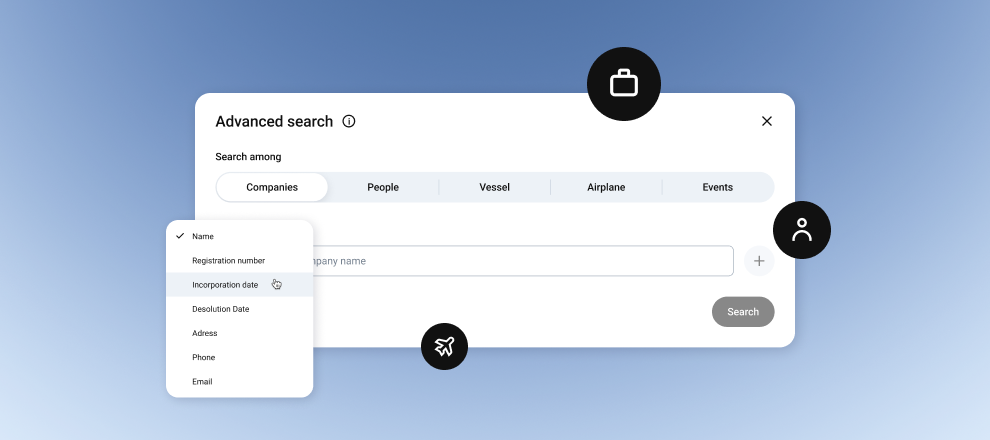
Search Categories
Once you click the search bar, the system will prompt you to select a category. This helps narrow the scope of the search and remove irrelevant results from the outset:
- Companies: search for companies by name, registration code or contact details, including email address, website or phone number.
- Individuals: search by full name, tax number, address, or email address.
Vessels and aircraft: check yachts and aircraft by registration number or name. - Events: search for international events attended by PEPs, marked with an orange calendar icon. You can search by event name or date.
- All entities: search across all available entity types. This option is recommended for broader searches.
Tips for accurate search results
To make your search as comprehensive and accurate as possible, apply the following rules:
Code
A company name may change or appear in abbreviated form, but registration and tax codes provide precision. If you know the code, always begin your search with it.
Language
Although the system supports automatic transliteration from Cyrillic for individuals, we recommend using a dual approach:
- First, search in English.
- Then search in the original language, for example, Greek for Cyprus or Estonian for Estonia. This makes it possible to retrieve unique data that may be recorded in official registers in only one language.
Copy instead of typing
When working with countries that use specific alphabets, such as Cyprus, Malta or Estonia, it is better to copy the name or code directly from the original source and paste it into the search field. This reduces the risk of character errors.
Technical details
ЩTo ensure that the system processes your query correctly, please note the following limitations:
- 3 characters: search is activated only after you enter 3 or more characters. Queries consisting of 1-2 characters will be ignored by the system.
- Action button: after entering your query, press Enter or click the magnifying glass icon. Without this step, data processing will not begin.
- Transliteration: for individuals, transliteration is applied automatically. For companies, the system uses additional names from sanctions lists and international databases, in which different spelling variants, including Latin and Cyrillic forms, have already been collected.
FAQs
Why could I not find a company by phone number?
Search by contact details, such as phone number or website, is available, but it is less precise than searching by registration code or company name. Try using advanced search or entering the company registration code.
How can I find a vessel if I do not know its registration number?
Use the Vessel filter and enter the yacht name. If the name is common, add the country of registration using the filters on the results page.